Remote Work
On this page4 sections
Core Elements
Remote Setup
- Home office design
- Equipment essentials
- Network reliability
- Backup systems
Communication
- Asynchronous practices
- Virtual meetings
- Documentation
- Team collaboration
Productivity
- Time management
- Focus techniques
- Work boundaries
- Energy optimization
Best Practices
Daily Routine
- Morning preparation
- Regular breaks
- Exercise integration
- Work-life boundaries
Team Collaboration
- Virtual team building
- Project coordination
- Knowledge sharing
- Social connection
Tools & Technology
Essential Tools
- Video conferencing
- Project management
- Document collaboration
- Time tracking
Security
- VPN usage
- Data protection
- Device management
- Access controls
Resources
- Productivity Tools
- Home Office Setup
- Virtual Communication
Further reading
Health and Safety Executive
Good posture when using display screen equipment
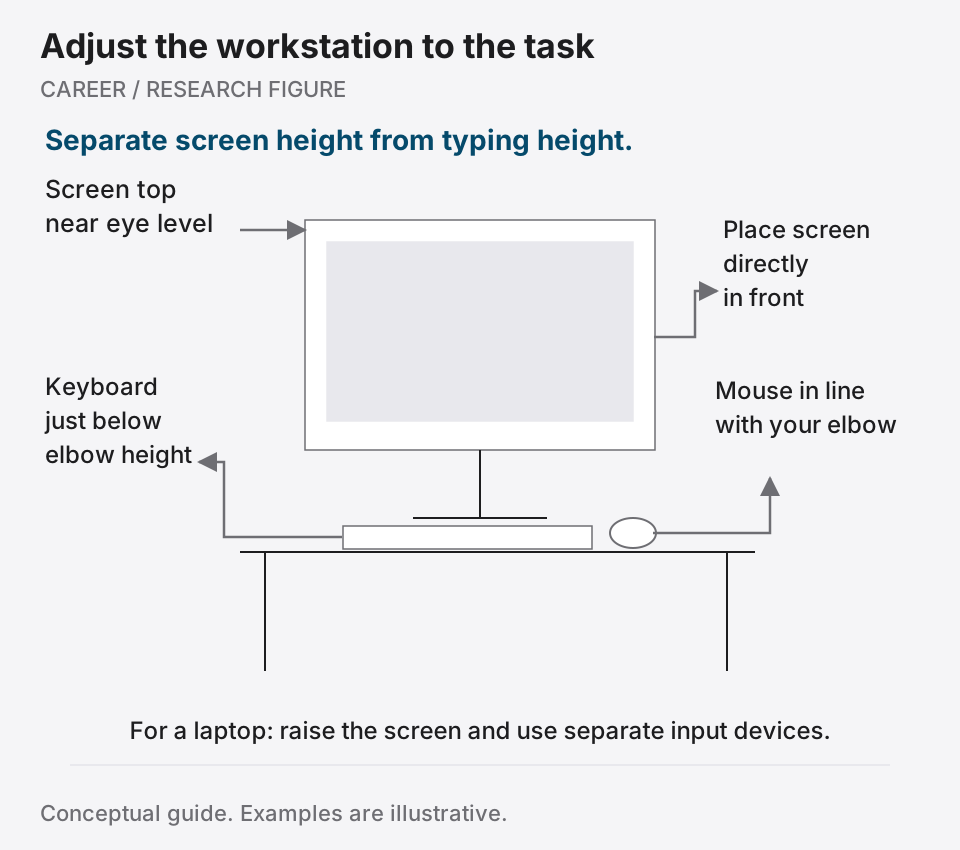
Check screen height, keyboard position and support against practical workstation guidance.